
Want to corrupt a PDF for testing or simulation purposes? This guide shows you exactly how to do it—instantly, securely, and with no sign-up required. Whether you’re a QA tester, student, or IT professional, corrupting a file can help simulate real-world scenarios.
What Does It Mean to “Corrupt” a PDF?
A corrupted PDF is one that has been intentionally modified or damaged so that it becomes unreadable, fails to open properly, or throws errors in PDF readers. This can be useful in:
- 🧪 Quality Assurance testing
- 🔐 Cybersecurity simulations
- 🎓 Educational labs or demonstrations
- 📂 Software robustness testing
Steps to Corrupt a PDF File
Follow these quick steps:
1. Go to the PDF Corrupt Tool
👉 Visit: https://filecorrupt.com/corrupt-pdf-online
2. Upload Your PDF
Click “Browse” or drag & drop your PDF file into the tool. Files are not stored or accessed by any server—your data remains private.
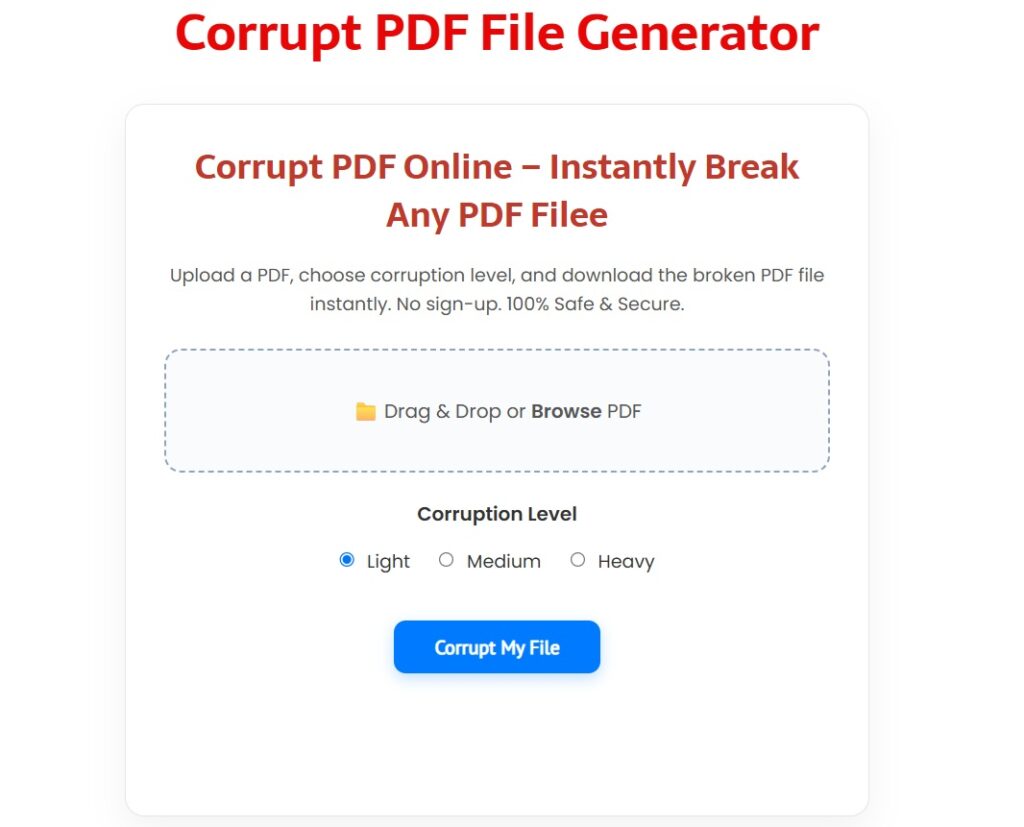
3. Choose a Corruption Level
- Light – Minor changes
- Medium – Moderate corruption
- Heavy – Completely broken output
4. Download the Corrupted PDF
Click “Corrupt My File” and instantly receive a download link to your broken PDF file.
💡 Why Would Someone Want to Corrupt a PDF?
Some common use-cases:
- ✅ Testing error-handling in PDF readers or recovery tools
- ✅ Preparing training scenarios for IT/cybersecurity
- ✅ Simulating partial data loss
- ✅ Research and academic demonstrations
🧩 FAQs
Q: How does this tool corrupt a PDF?
A: It modifies the file content to make it unreadable, using an algorithm that damages the file structure.
Q: Can I recover a corrupted PDF?
A: It depends on the extent of corruption. Some recovery tools may partially restore lightly corrupted files.
Q: Is it safe to use this tool?
A: Yes. The tool does not save or upload your files. Everything happens in your browser.
🌐 Other File Types You Can Corrupt
Use our tools to corrupt various formats:
✅ Summary
- No sign-up required
- Supports Light, Medium, and Heavy corruption
- Works on all devices
- Instant result with download
- Safe and secure—files are not stored